
Quick Tide Check
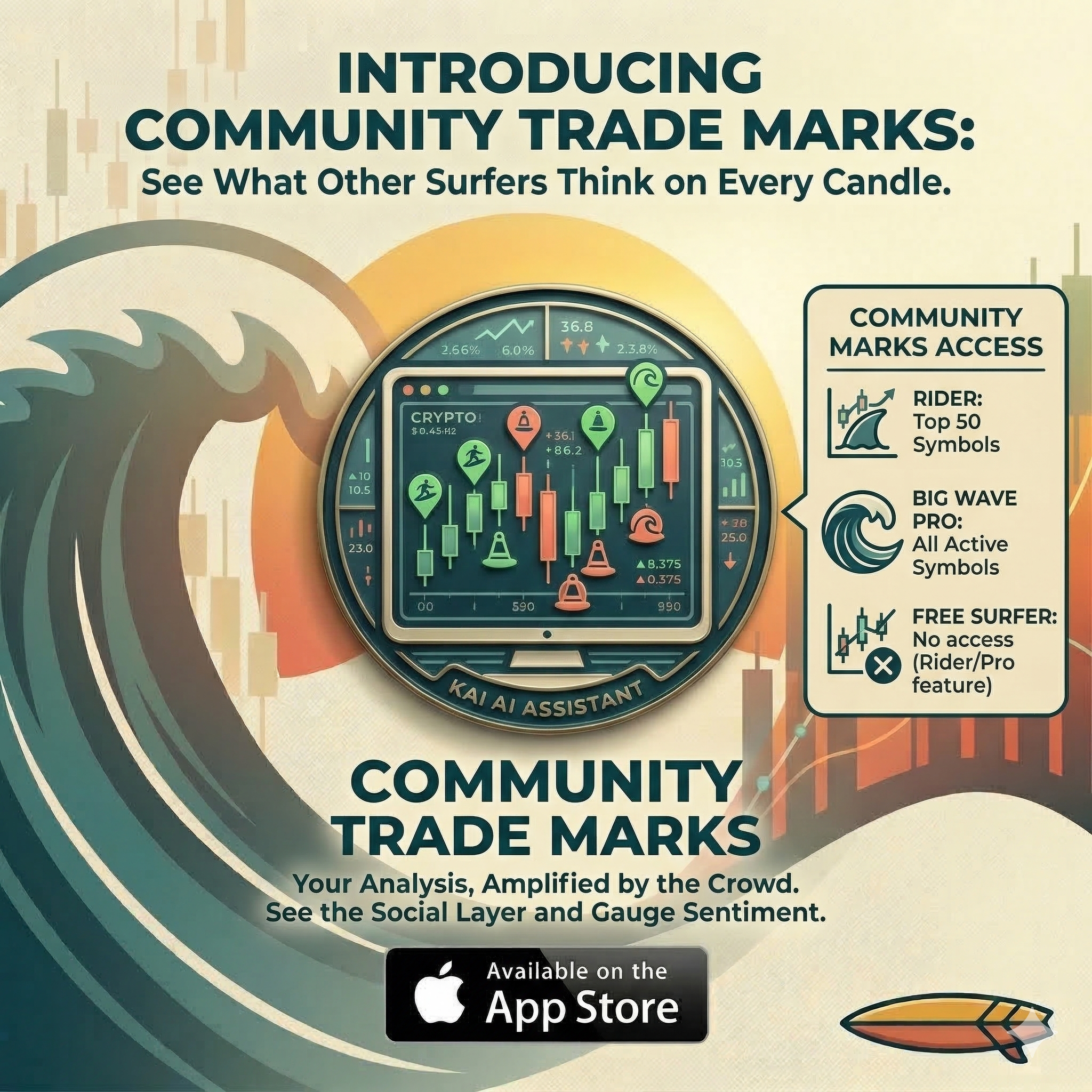
Community Trade Marks turn WaveTrader from a solo analysis tool into a social layer for the crypto market. Mark your analysis on the chart with one tap and see what other surfers think about the same candle. Available now for Wave Rider and Big Wave Pro subscribers.
Key Takeaways
- • One-tap marking: Paddle In for opportunities, Wipeout for risks
- • Community Activity card shows aggregated sentiment per candle, right below the chart
- • Colored buoy markers appear on the chart in landscape mode for a full visual experience
- • New metric: WaveTrader Volume tracks how many surfers are watching a price area
- • Wave Rider gets top 50 symbols, Big Wave Pro gets all active symbols
Why Surf Alone?
What if you could see what thousands of other surfers think about the same candle you're staring at?
Until now, reading charts in WaveTrader was a solo session. You had your waves, your Break Signals, your Paddle Zones. All powerful stuff, but you were the only one on the water. No way to know if other surfers spotted the same Up Swell you did, or if someone else flagged a Wipeout risk at a price level you hadn't considered.
That changes today. Community Trade Marks adds a social layer to your chart. Mark your analysis, see what the crowd sees, and make better-informed decisions together.
Marking Your Analysis
Below the chart, you'll find two new buttons:
Paddle In
"I see an opportunity here"
Wipeout
"I spot a risk here"
One tap places your mark on the current candle at the current market price. That's it. No menus, no forms, no friction. You see something on the chart, you mark it, and the community sees your read.
Changed your mind on the price? No problem. You can edit any mark's price after placing it. Just tap the pencil icon in the Community Activity card, adjust the price, and hit the green checkmark to save.
Important: Marks are not buy or sell signals. A Paddle In means you spotted an opportunity. A Wipeout means you flagged a risk. WaveTrader is an analysis tool, and Community Trade Marks are your way of recording what you see on the water.
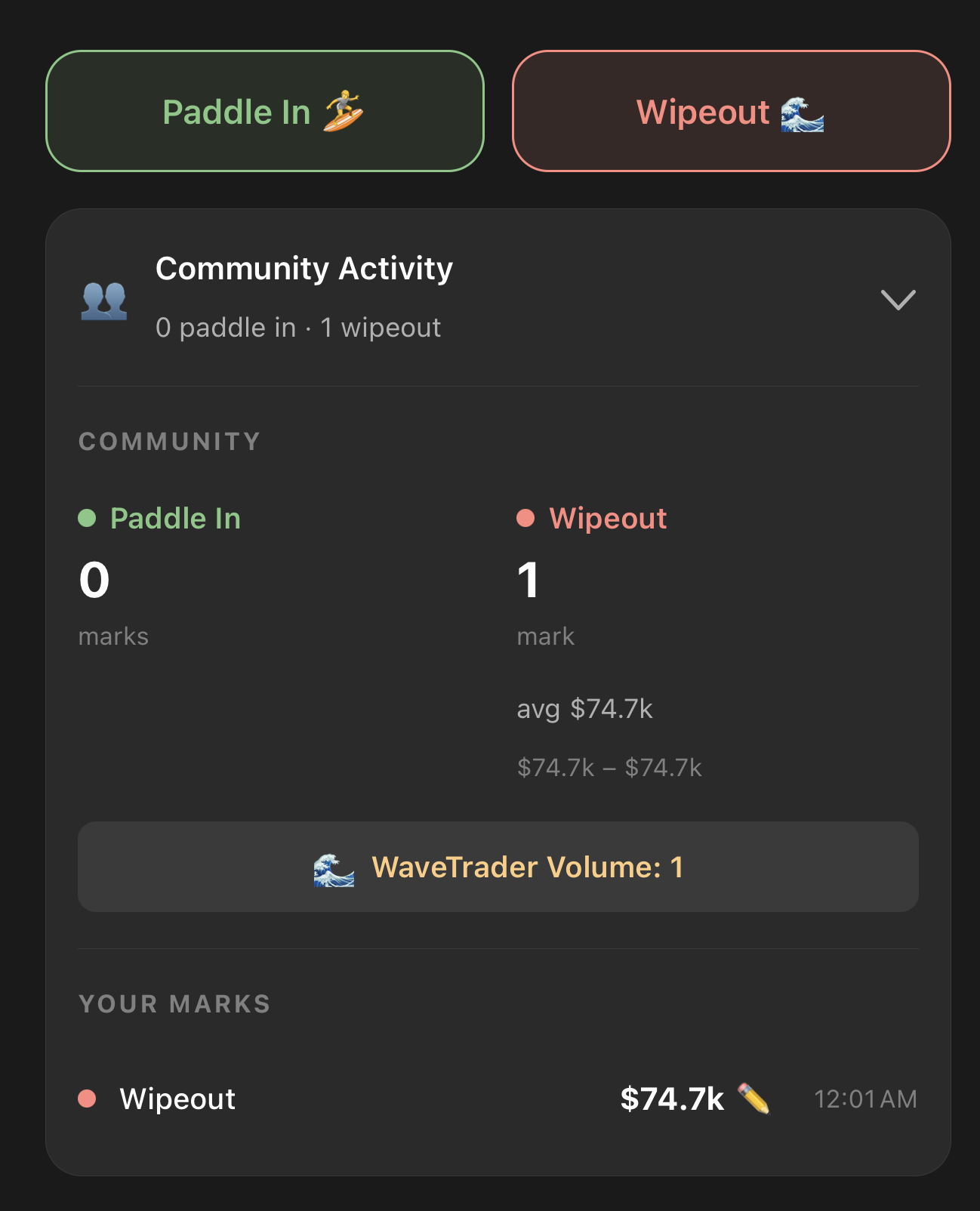
The Paddle In and Wipeout buttons with the Community Activity card expanded below the chart
The Community Activity Card
Below the chart in portrait mode, a collapsible card summarizes what the community thinks about the candle you've selected. At a glance you can see:
- • How many surfers marked Paddle In vs Wipeout on that candle
- • Average mark prices for each side
- • Your own marks on that candle, if you placed any
- • WaveTrader Volume showing total marks on the candle
Tap the card to expand the full breakdown. This gives you instant context about how the crowd reads that price area without cluttering the chart itself.
Buoy Markers on the Chart
Rotate your phone to landscape and the real magic happens. Community marks show up as colored buoy icons right on the candlestick chart:
Green buoys
Paddle In activity on that candle
Coral buoys
Wipeout activity on that candle
Tap any buoy and a Surfer Activity popup opens with the full breakdown: how many surfers marked there, average price, high and low range, and whether you placed your own mark on that candle.
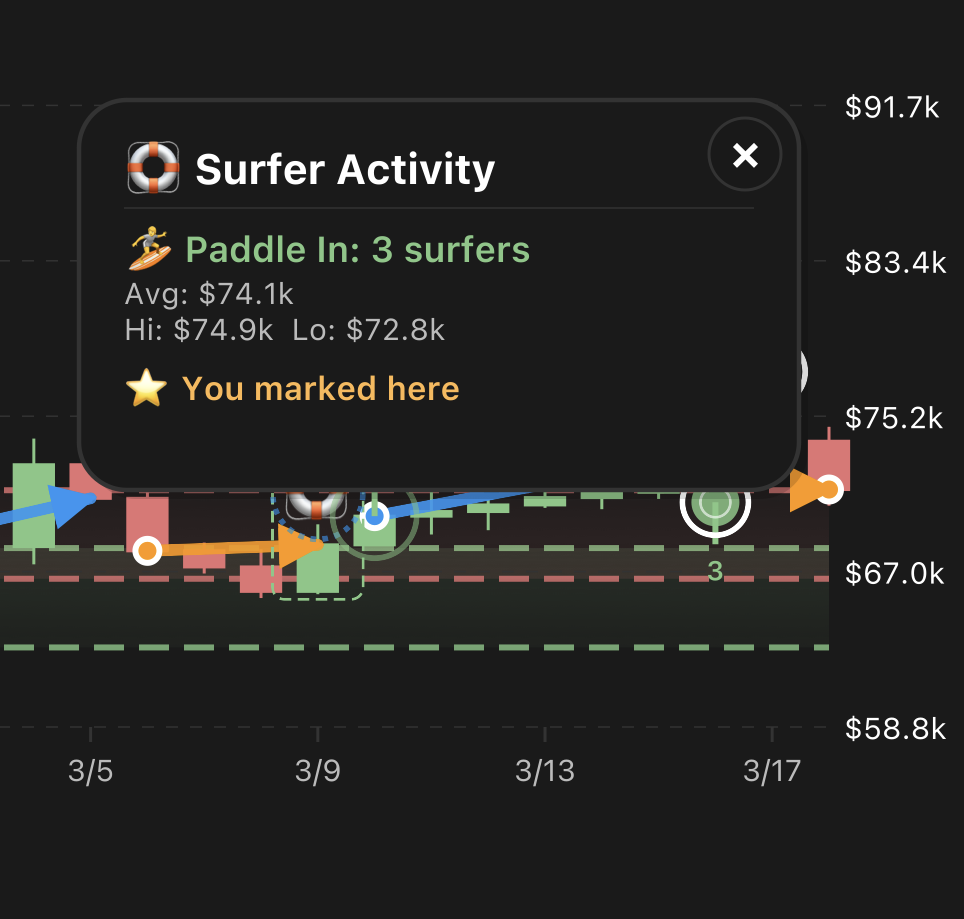
Landscape mode with buoy markers on the chart and the Surfer Activity popup
Pro tip: landscape mode is where the full visual experience lives. If you want to scan community sentiment across multiple candles at once, flip your phone sideways and let the buoys tell the story.
WaveTrader Volume
We also introduced a new metric called WaveTrader Volume. It counts the total community marks placed on each candle. Simple concept, powerful signal.
Higher WaveTrader Volume means more surfers are paying attention to that price area. Maybe a big Break Signal just fired. Maybe the wave state shifted. Whatever the reason, lots of marks on one candle tells you something interesting is happening on the water.
Think of it as a crowd-sourced attention indicator. It's completely separate from exchange trading volume, and it only reflects what WaveTrader surfers are watching right now.
Availability
Community Trade Marks are available for Wave Rider and Big Wave Pro subscribers. Here's how access breaks down:
| Tier | Community Marks Access |
|---|---|
| Free Surfer | No access |
| Wave Rider | Top 50 market cap symbols |
| Big Wave Pro | All active symbols |
If you're on the Free Surfer tier and want to start surfing with the crowd, upgrading to Wave Rider gets you community marks on the biggest coins. Big Wave Pro unlocks the full lineup across every active symbol.
Learn More in Surf School
If this sounds like a lot to take in, don't sweat it. We built a full walkthrough right inside the app. Head to Surf School and you'll find a dedicated lesson on Community Trade Marks covering everything from placing your first mark to reading the buoys in landscape mode. It's all visual, all color-coded, and designed so you can learn at your own pace.
Start Surfing with the Crowd
Community Trade Marks change how you read the chart. You're no longer paddling out alone. Every candle now carries the collective read of WaveTrader surfers, and your marks add to that signal for everyone else.
Spot an opportunity? Paddle In. See a risk building? Mark the Wipeout. Your analysis matters, and now the whole lineup can benefit from it.
Update WaveTrader from the App Store and start surfing with the crowd today.
Disclaimer: This article is for educational and informational purposes only. It does not constitute financial, investment, or trading advice. Cryptocurrency markets are volatile and carry significant risk. Past performance does not guarantee future results. Always do your own research and consider consulting a qualified financial advisor before making any investment decisions.